How to check International Roaming Service via True App


How to check International Roaming Service via True App
True and dtac customers can check International Roaming Service Rate and buy add-on package for traveling aboard. You can easily check by yourself via Application True App
How to check International Roaming Rate and buy add-on package via Application True App
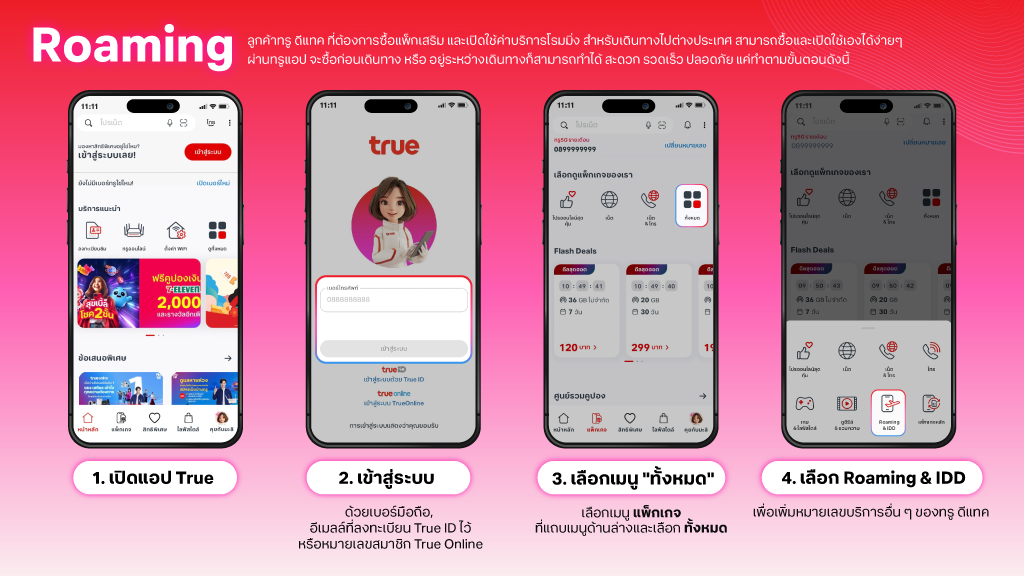
- Open application True App or press here
- Login with 3 types below;
- via Mobile Number
- via email which TrueID registered
- via TrueOnline (Home Internet) Circuit Number
- Select menu View All on Recommended Services tab
- Select icon Roaming & IDD
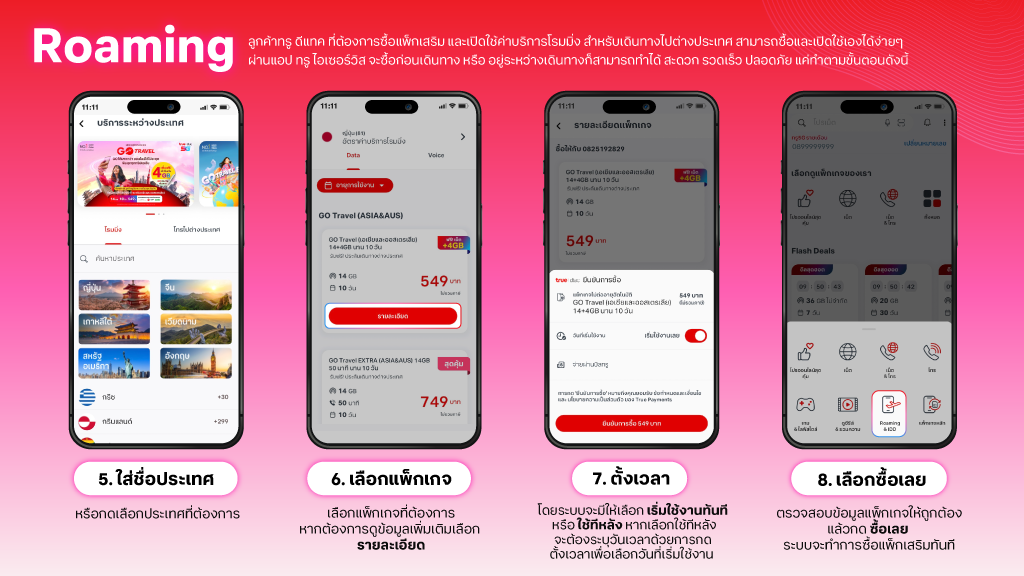
- Fill-in country on search box or select country from pictures then select Roaming tab
- Select Roaming Add-on Package, if need more information, press button view details
- Select start now or later, if select later, you can set up Start Date and Time to use
- Check purchase information order then press Buy Now then Roaming Add-on Package will be charged on bill immediately
How to check International Roaming Service via Application True iService
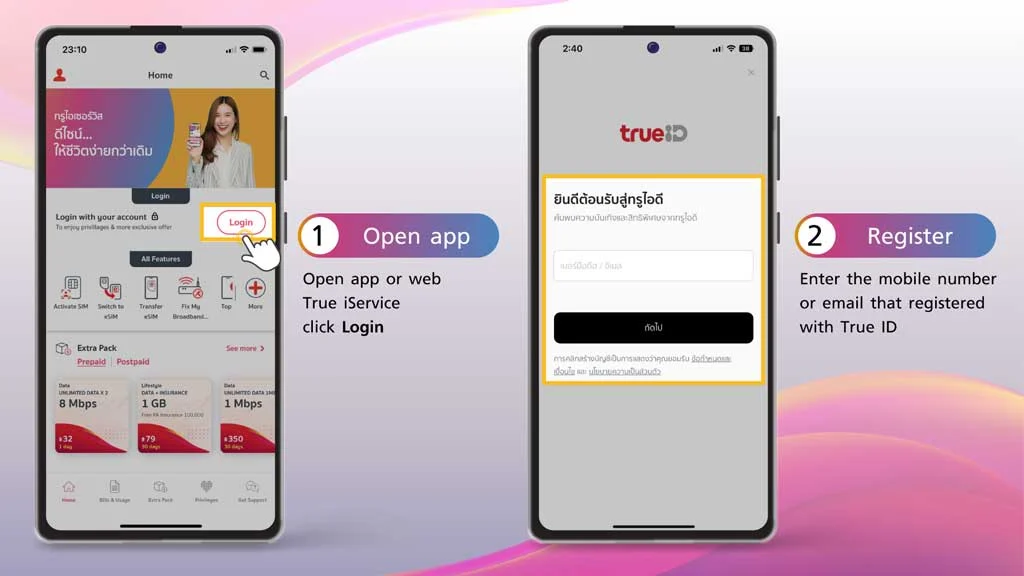
1. Open app or web True iService or click here
2. Enter the mobile number or email that registered with True ID
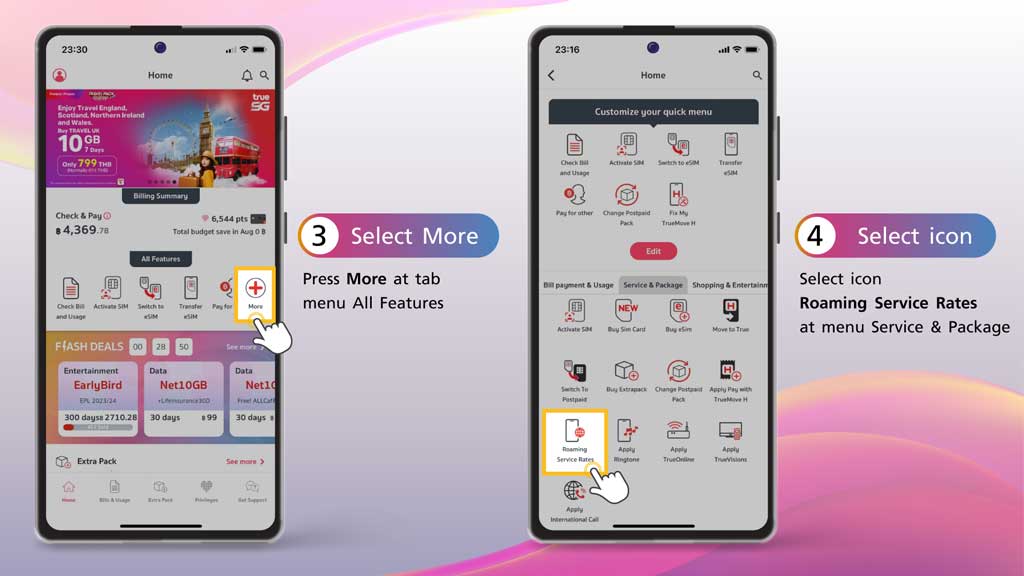
3. Press More at tab menu All Features
4. Select icon Roaming Service Rates at menu Service & Package