How to Register True SIM Card Online via True App
![[BetterLiv] - /betterliv/support/how-to-register-sim banner](https://images.contentstack.io/v3/assets/blt8ba403bee4433fd8/blt3bc51de6b219347c/69a7dae8fcd4d33b884c5450/en01.jpg?auto=webp)
How to register True SIM via True App
Quick and Easy SIM Registration. No need to visit a store or call customer service. Register your prepaid or postpaid SIM easily through True iService.
Steps to Register Your SIM (Prepaid and Postpaid)
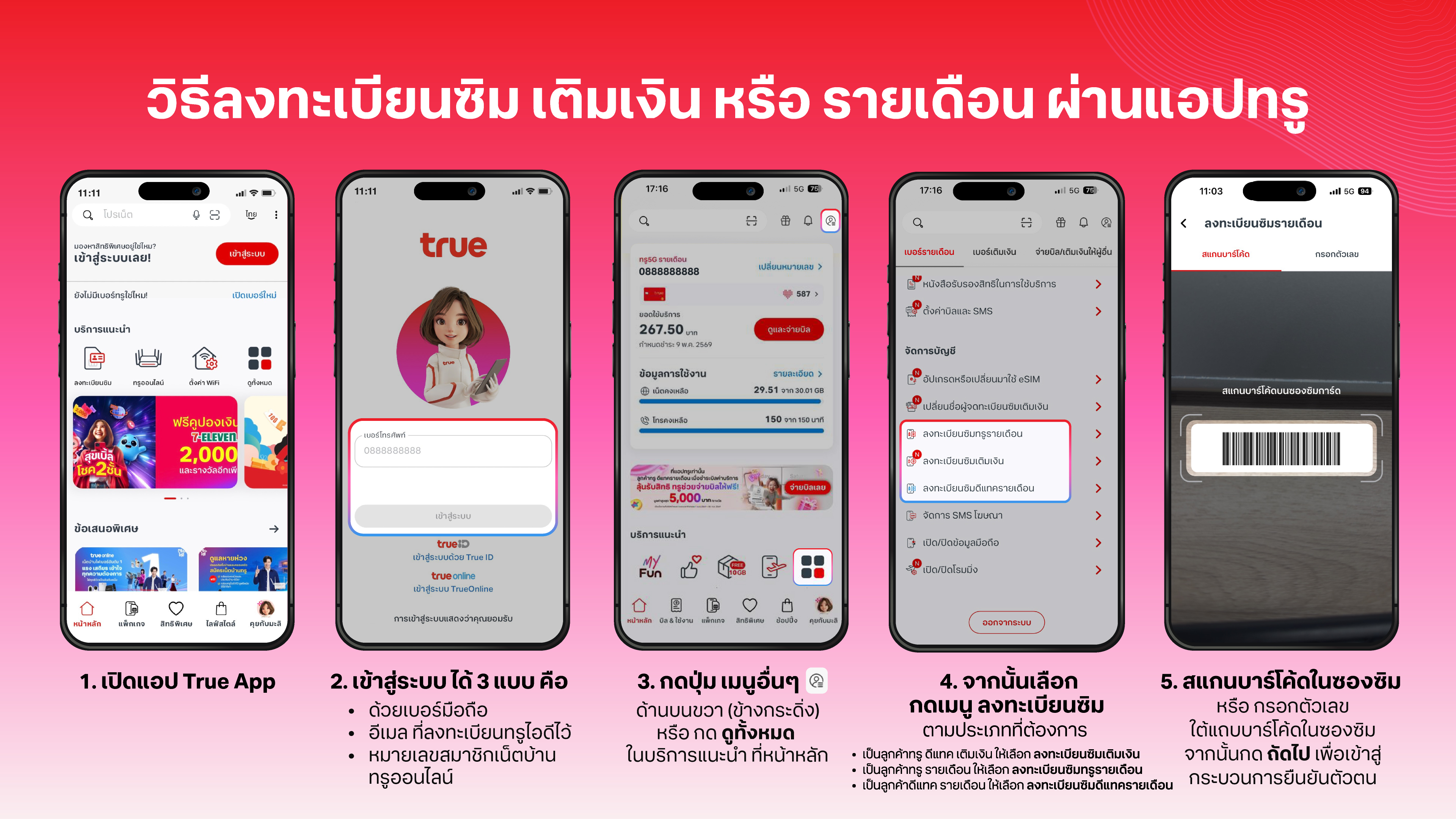
- Open True App or press here
- Login with any 3 types
- Login by mobile number
- Login by email that registered TrueID
- Login by TrueOnline number
- Presss 3-points icon on the right up (beside bell icon) to Account info
- Then press Switch numbers for choosing the number that you want to switch to eSIM, if it’s already show that number, please skip this
- Then scroll down to topic Manage Account, then press Register True Prepaid SIM or Register True Postpaid SIM
- Scan the barcode or enter the numbers from your SIM card package.
- Press Activate This Number
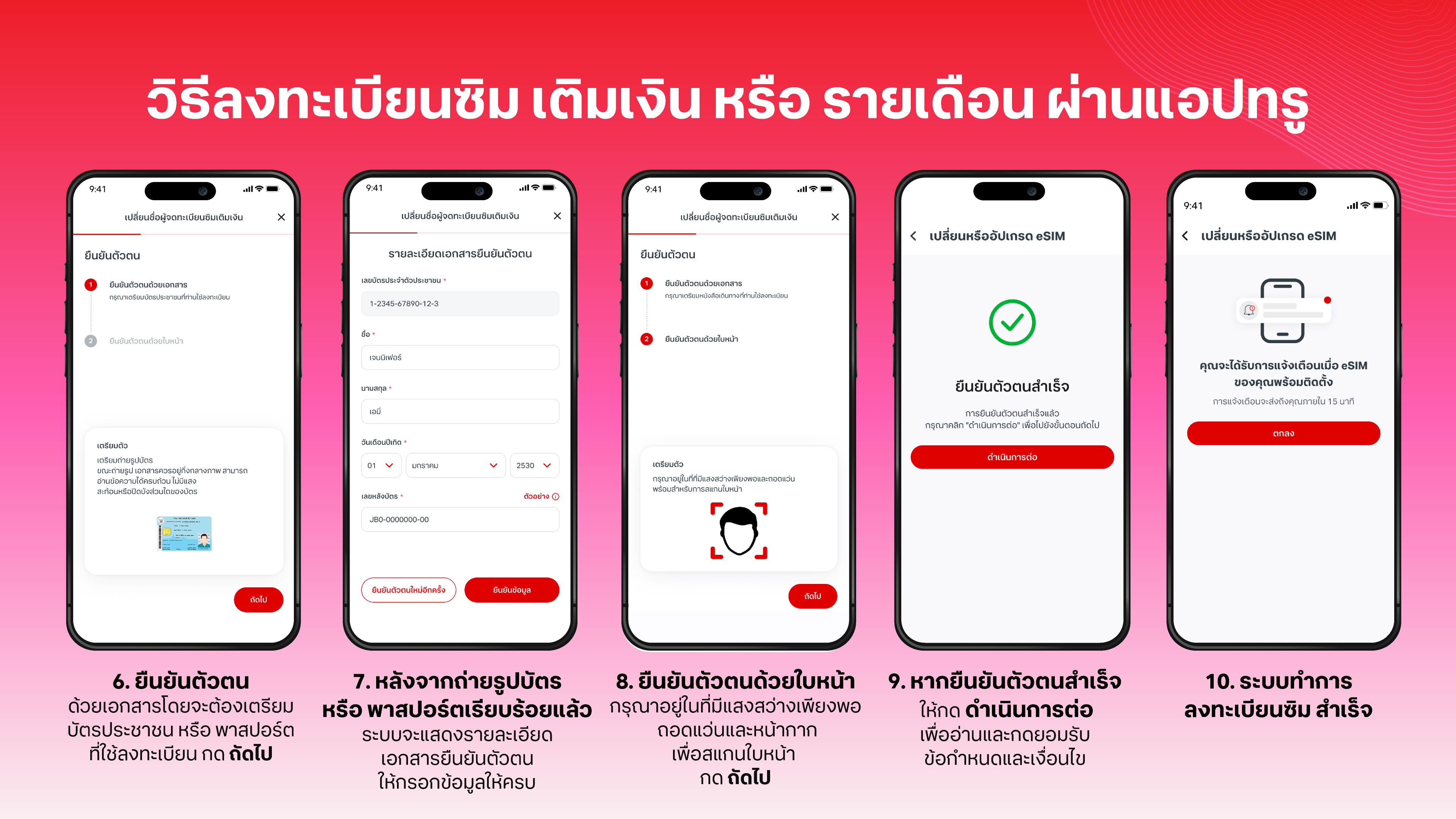
- Next, you’ll go through identity verification (eKYC) to complete the activation.
For postpaid SIMs purchased via True Store, after verifying your identity through True App:
- Insert the SIM into your phone.
- Dial *9292 and press call to confirm with our agent.
Using your SIM in tablets or iPads? If your device can’t make calls, insert the SIM into a phone first. Call to verify your identity, then you’re ready to go!